What's a new blog without a post extolling how great the new blog is?
My old one was using WordPress. This new one is fully custom, built just for me. And yes, it's almost entirely vibe-coded. The good news for you: these words aren't. They're all written by me, Mark, and I intend on keeping it that way.
I won't get into too many details because the nitty-gritty isn't very interesting these days when we aren't writing things ourselves, but we at least have to set some high-level guidance for the AIs, don't we?
The frontend (what you're reading) and backend (where I'm typing this right now) are using two different technology stacks.
Frontend
The frontend is server-side rendered using a Bun server. Instead of using a traditional templating engine, I wrote my own (of course I did!) called jsxhtml. It's like React insofar as it uses JSX and you can define reusable components, but it's not at all reactive. It can't be, because it's rendered on the server and never hydrated on the client. In fact, the frontend is JavaScript-free so you can read this with JS turned off if you like.
There are dozens of people online that say you should turn JS off because it's unsafe. It certainly be used for tracking and fingerprinting you, but beyond that it should be fairly contained to the site it's running on. Nonetheless, this is a blog with no interactive features (yet?) so I thought what the heck -- this is the perfect time to use the lib I already wrote.
Backend
The backend is a React app. It's got a two-pane editor with Monaco (basically VS Code) on the left, and a preview on the right. They stay scroll-synced so I'm mostly reading this in the preview while I type into the left.
I can type ![]() into the editor which will create a little placeholder on the right for me to drag-and-drop an image:
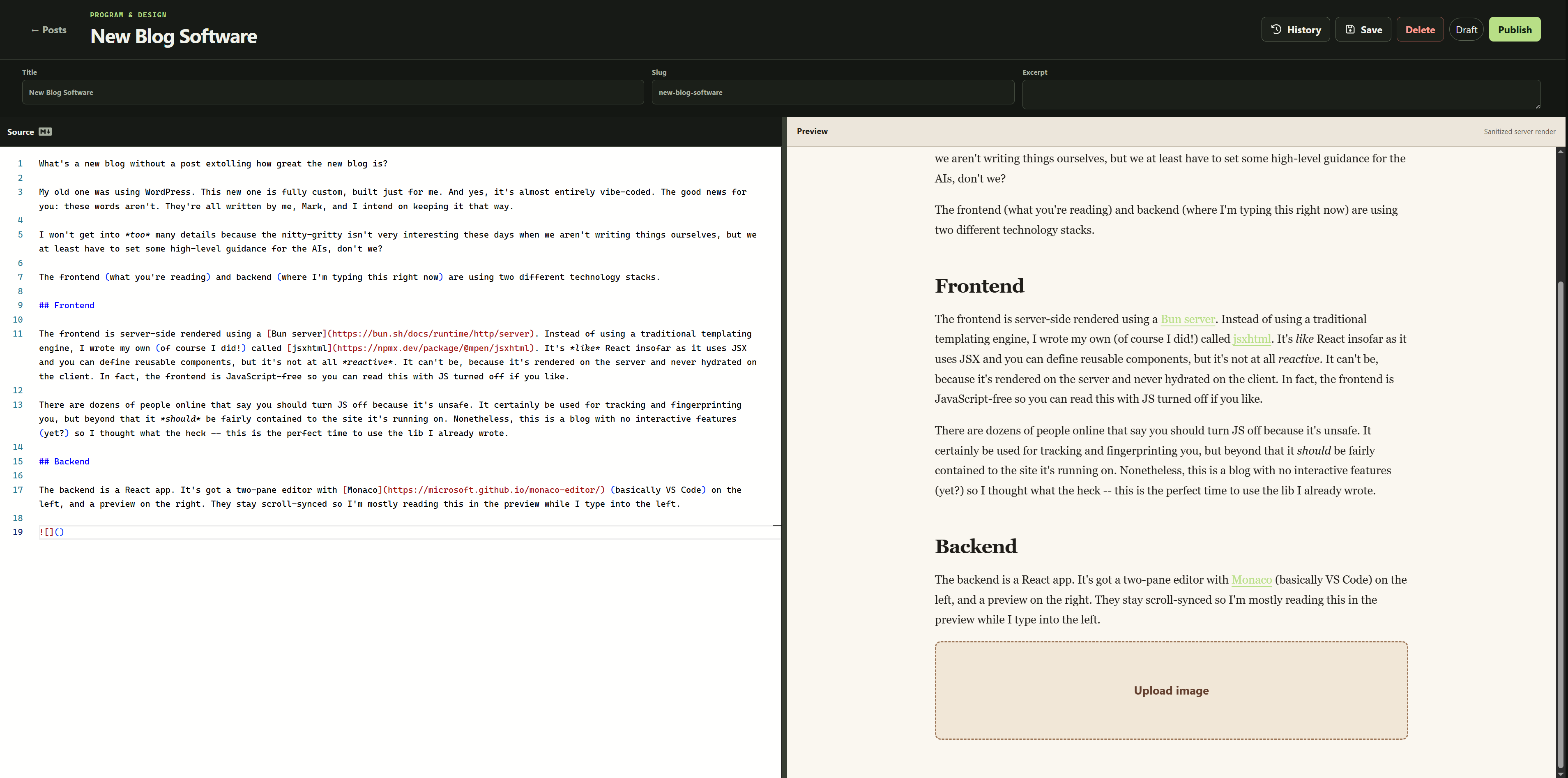
(so meta!)
Other than that, you can see it's fairly bare-bones at the moment. Which is what I wanted. How much stuff do you need for a blog post? A title, a body, and an URL...
VCS
I was a little paranoid that I'd be typing for hours and then my browser would crash and I would lose something. Or I'd want to rewrite a big chunk of the article and then want to revert it. So "we" (ChatGPT/Codex and I 🤮) built a full post revision history with forking and auto-saves.
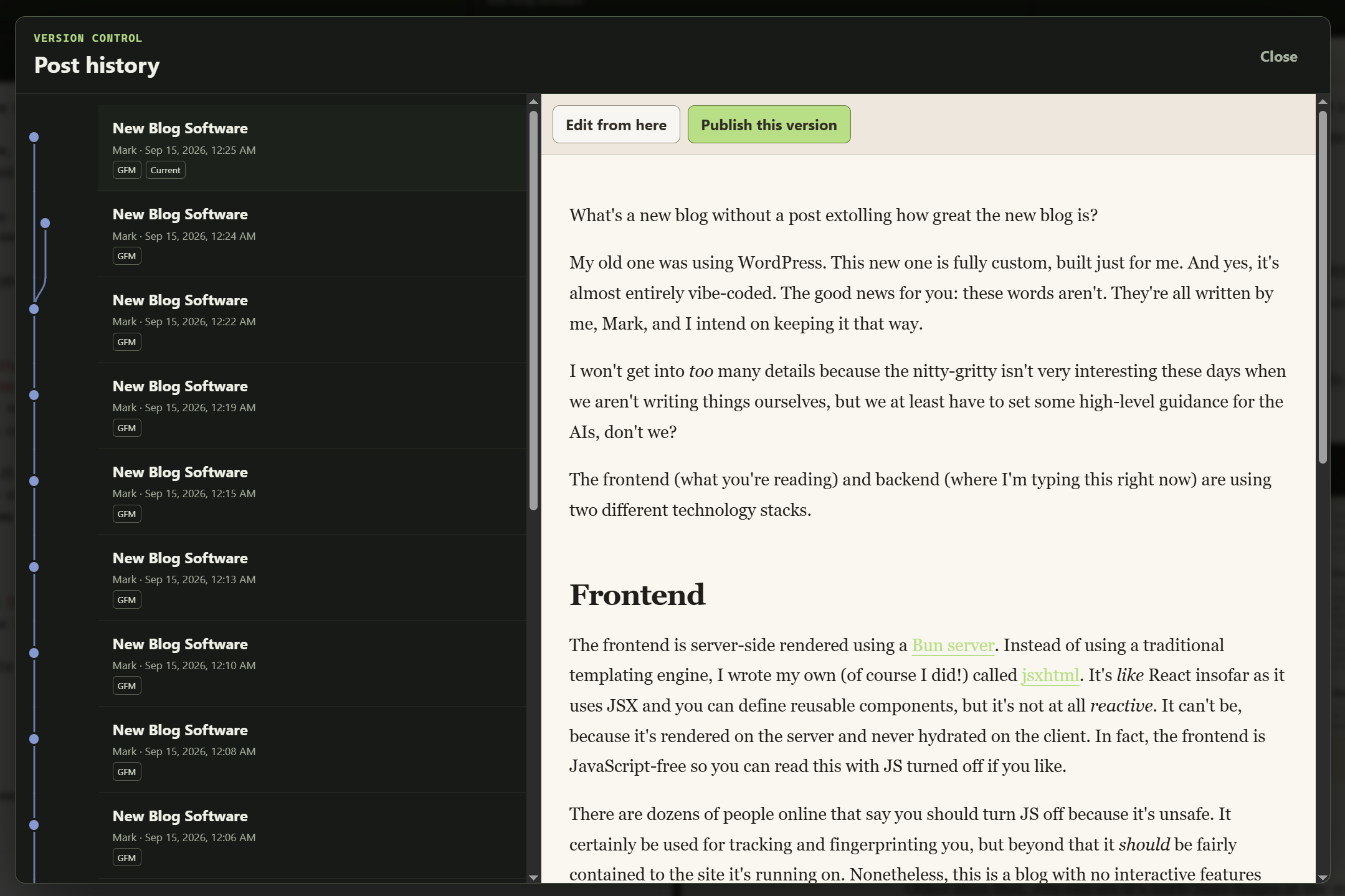
It appears to be saving perhaps a bit too often at the moment (still working out some of the kinks) but it's pretty nice that I can just close the tab at any moment or accidentally delete or paste over the whole thing and never lose anything.
Amusingly, shortly after writing this section I lost internet connection. My editor can't save without an internet connection at all but ChatGPT anticipated that too and stored a copy in my browser. When internet came back it prompted me recover it.
CDN
I built a CDN for one of my other apps. It's nice I'm getting lots of use out of it now. Well I didn't really build the CDN, it's just Cloudflare, but there's a couple neat things to note:
Backblaze has an alliance with Cloudflare, which means I can upload my images to B2 and then serve them to you without paying egress.
I wanted to keep my B2 bucket private so that people don't do nasty things to me if they figure out my URL scheme or some shenanigans, but then how do I serve content to you if everything is encrypted and access denied without giving you the key?
The answer: I give the B2 key to Cloudflare instead. My server signs each URL with a token (which you can see on the images above, ?t=xxx), when you request that URL a Cloudflare Worker decodes it and checks it against a 2nd HMAC key. If it's valid, it uses the B2 key to get the content from my bucket and serves that to you.
This way even you discover a URL in my bucket and figure out how I mapped that to my CDN URL, unless you can also produce the HMAC token, you can't retrieve the data. And if I ever want to revoke a piece of content without changing its filename I can just let the token expire and stop issuing new keys.
It does pose a little bit of a problem though -- the <img href>s in this blog are only valid for ~24 hours. That's mostly fine because I'm server-rendering this post every time you request it so the key is always fresh and valid but I don't want to be a total jerk to people who want to download my awesome posts and read them later (I also support RSS!). The answer to that is simple: I just create a permanent/static URL on this blog. When you request that, I mint you a fresh token and redirect you to the CDN.
If my blog server dies then I guess I can't mint any new tokens but if I were writing this blog app 20 years ago I would have been co-located the images with the server anyway (maybe in /wp-content/uploads/... -- this was the case from Jan 2009 to Sept 2026). Which leads into the next section -- I'm now hosting everything on Kubernetes, which I continue to enjoy, but one perhaps slightly unpleasant thing is that every pod is ephemeral. I can't store anything on disk ("block storage") because it'll be wiped every time I redeploy. I could set up a PV but who wants to do that when we have unlimited Object Storage (AWS S3, Backblaze B2, DigitalOcean Spaces, ...) that is basically built for this.
Migration
I migrated all 17 years (~66 posts -- one post every 97 days) of data from WordPress to my new custom DB schema (using MariaDB 12 now). Can't say that was hard, Codex did a good job.
The hard part was that many of the old posts were malformed because they were using [cc lang="php"]…[/cc] CodeColorer short-codes and I went through a few different syntaxes over the years, so many posts were broken even before this rewrite (you can find my complaining in some of the older posts).
That, and I had a bunch of images hosted on imgur and who knows where else. Some of them were deleted. I restored them from Wayback Machine (❤️ -- donate to them) and uploaded them to my CDN so hopefully that doesn't happen again. Hopefully. I still only have one copy of this stuff but as long as I keep paying Backblaze I reckon they'll keep it online.
The database (and these posts) are backed up on a cron (also easy with K8S BTW). It's basically just mysqldump + xz and then rclone to B2 (a different bucket). I occasionally make a local backup too.
Deploy
As mentioned above, this is now hosted on Kubernetes. ./deploy.ts -y and it deploys in 25 seconds. Not quite as fast as the rsync + symlink solution I used before (PHP's upload and done "deploys" were certainly nice).
25 seconds is probably the fastest of my apps right now. It has to rebuild one Docker image, upload that to ghcr.io, update the image tag in my k8s config, deploy the config and wait for the rolling restart to finish. Not bad.
BTW, if you want to automate some of this stuff with a Node/Bun script, I wrote dockman to help with this. I've been flipping back and forth between Docker and Podman because they've both been kind of flakey, so I wrapped them with that lib and it'll use whatever you have available on your system.
AI
Listen, I've been programming for over 20 years now. I can write things myself. But could I build this blog in a day with all the features it has? Probably not. Are there weird quirky things in here, mistakes that I probably wouldn't have made if I wrote this myself or carefully reviewed every line? Maybe. It probably also caught a bunch of things I wouldn't have.
One day might write a longer post on my thoughts on AI, but I think the internet is overflowing with that at the moment and I don't think I have much to add to the subject.
For now I'll just say it's at least useful for little hobby projects like this one, even if it's fully vibed (barely reviewed). If you're working on mission critical software or a multi-million dollar app, a little more due diligence is probably warranted.
Conclusion
Writing this took a little over 2 hours. It's late. I'm tired. I don't know why I'm doing this.